 Scan2Wallet · for iPhone
Every card in your wallet, except smaller.
Make a real Apple Wallet pass in as little as 10 seconds. Scan any loyalty card, gift card, ticket, or QR code with your iPhone — then tap once to drop it into Apple Wallet. No typing, no signup, no digging through your purse at checkout.
From scan to Wallet, one screen at a time.
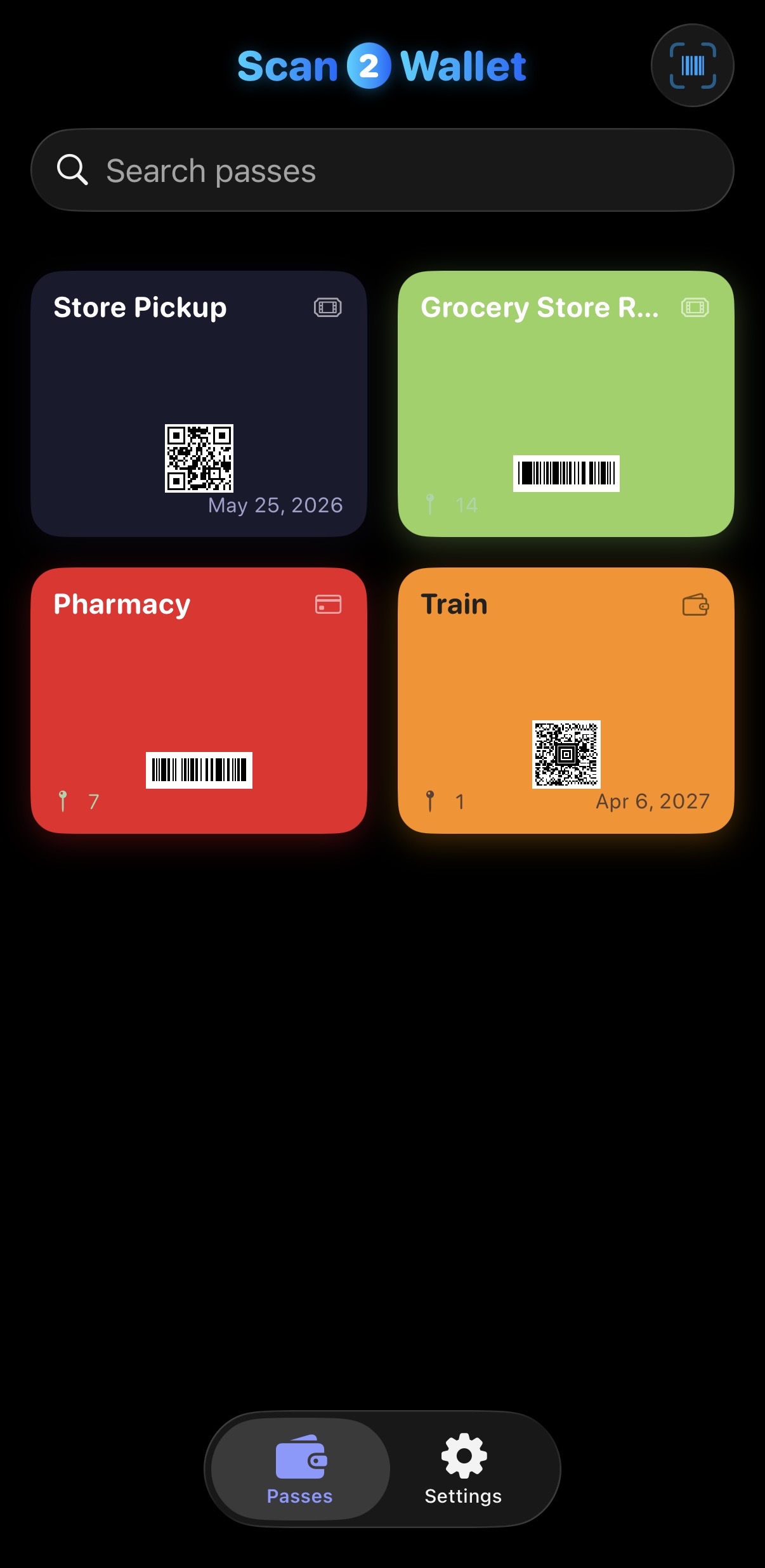
Your passes, at a glance
Every loyalty card, ticket, and code in one tidy grid.
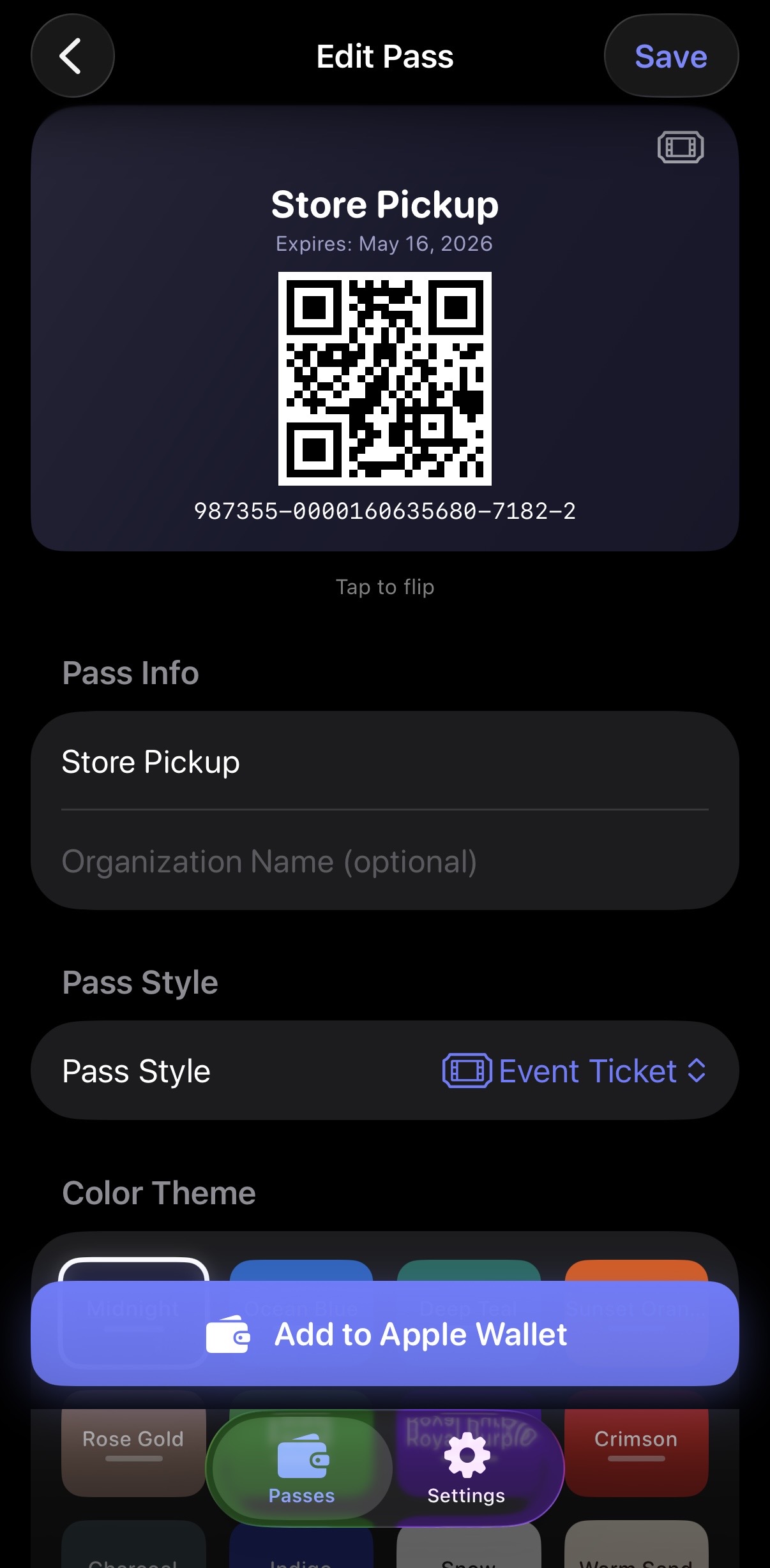
Make it yours
Name it, color it, pick a style — done in seconds.
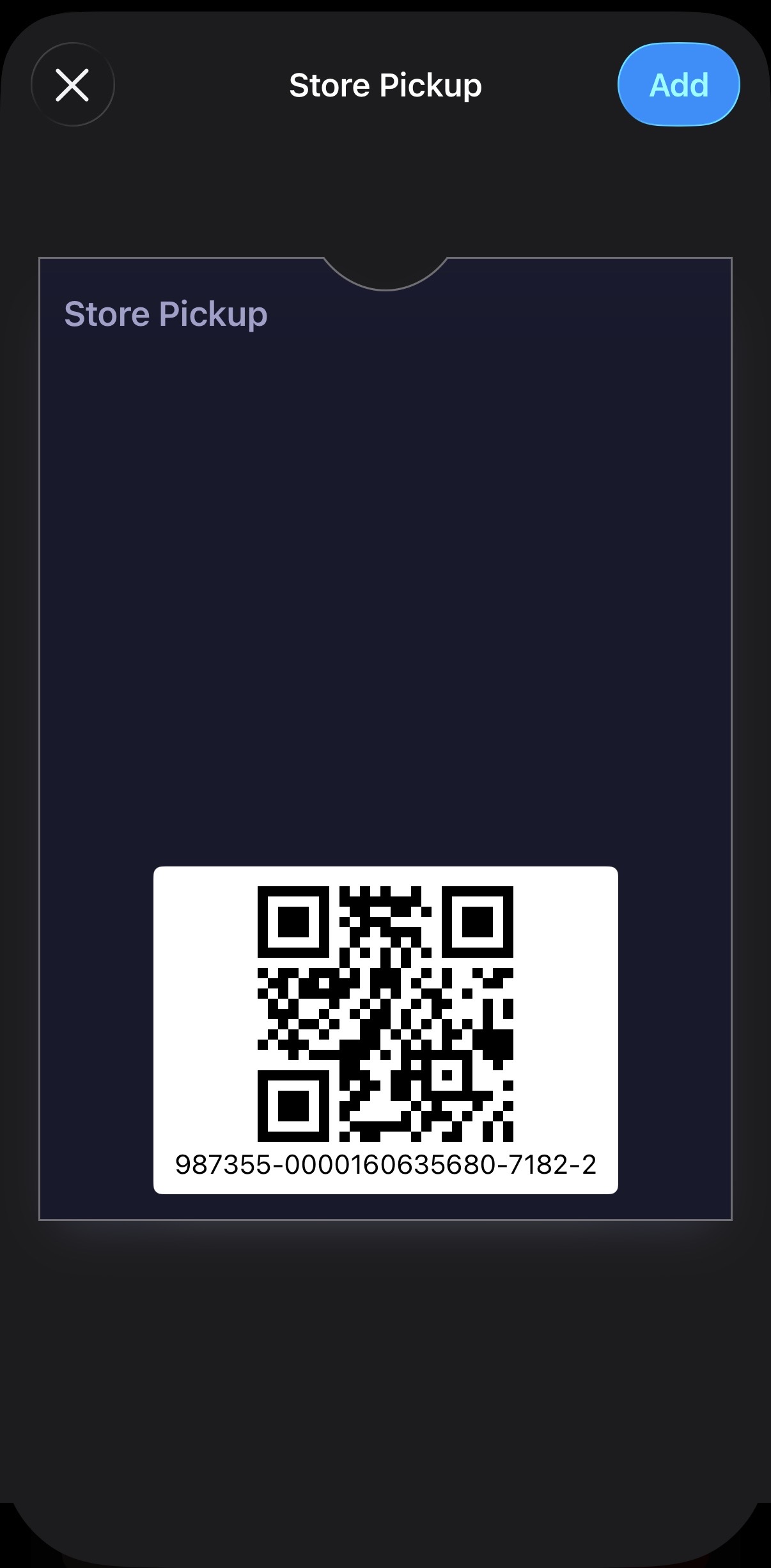
Straight into Apple Wallet
A real signed pass — lock-screen ready, location aware.
Three taps. That's it.
Scan
Point your iPhone at any barcode or QR code. PDF417, Aztec, Code 128 — we read them all.
Personalize
Pick a name, a color, and an icon. Make it yours in under ten seconds.
Add to Wallet
Tap once. The pass slides into Apple Wallet — ready at checkout, ready at the gate.
Instant scanning
Recognizes 14+ barcode formats in real time.
Real Wallet passes
Signed .pkpass files. Lock screen ready, location aware.
100% on-device
Your cards never leave your iPhone. We can't see them.
Unlimited passes
Scan as many cards as you want. No paywalls hidden inside.
Anything with a stripe or a square.
If it has a barcode, it belongs in your wallet — not at the bottom of your bag.
Coffee cards
Grocery loyalty
Event tickets
Gift cards
Library cards
Gym passes
Hotel keys
Transit cards
Movie passes